The prebuilt connectors can stream or sync data bidirectionally between source systems and the CDF staging area or directly to a CDF service with little or no data transformation.
Connectors maintain data consistency between source systems and CDF through controlled read and write operations, with appropriate access permissions for bidirectional synchronization.

Cognite connectors

Download installation files

1

Navigate to the Extractors page

Navigate to the Data fusion workspace > Integrate > Extractors.
2

Search and select connector

Use the search bar to filter the list of data integration services and select the connector best suited to your integration needs.
3

Download files

Download the Installation file and, optionally, the PDF documentation.
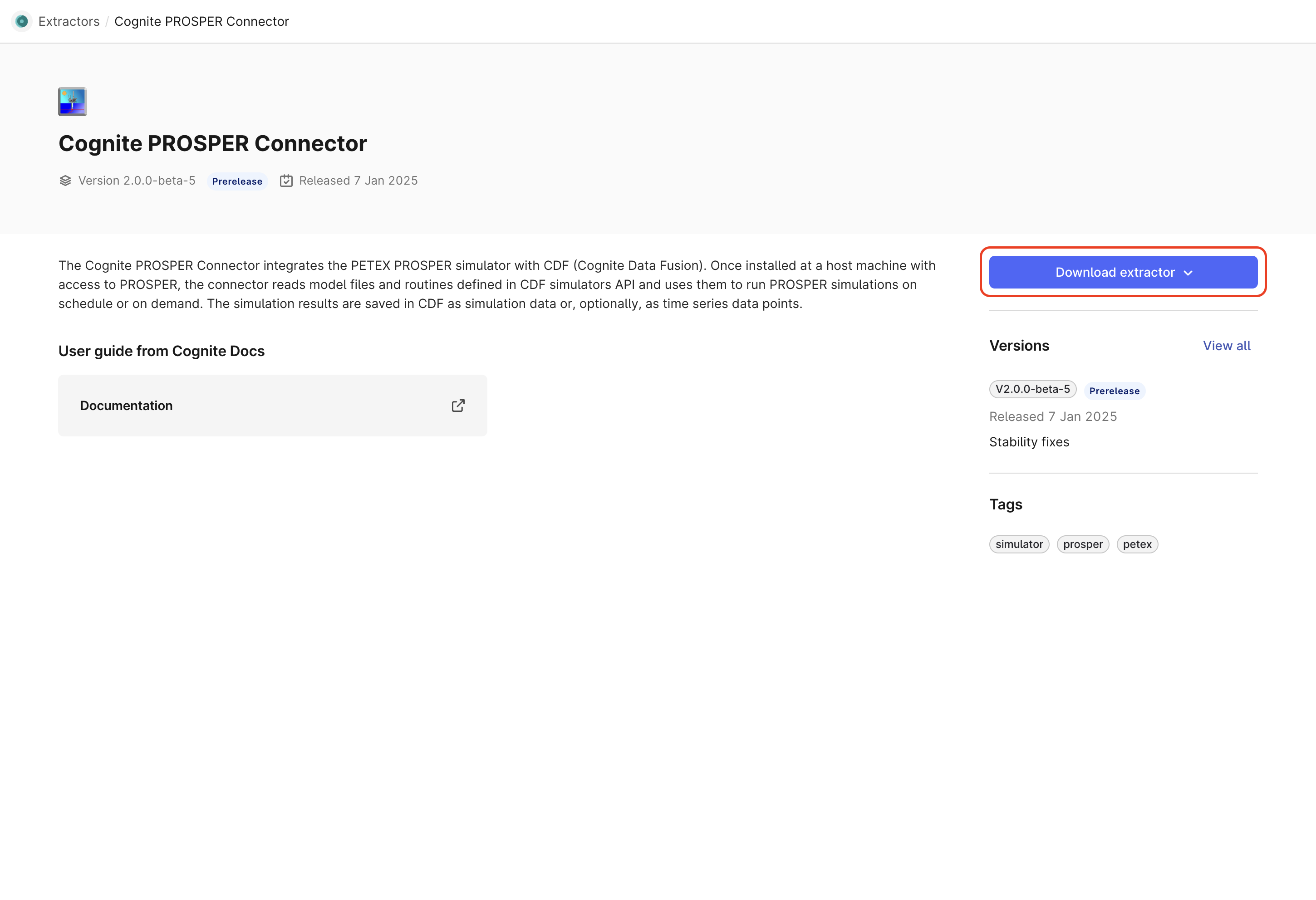
Extractor download page

Custom connectors

You can create custom connectors if your integration requirements can’t be met by the prebuilt connectors.

Cognite Python extractor-utils

Use the Python extractor-utils, an extension of the Cognite Python SDK, to develop extractors in Python. For more information, see the Python extractor-utils SDK documentation.

Cognite .NET extractor-utils

Use the .NET extractor-utils to develop extractors in C#. For more information, see the .NET utils documentation.

Cognite .NET simulator-utils

Use the .NET simulator-utils to develop simulator connectors in C#. For more information, see the .NET utils documentation.
Last modified on May 26, 2026